 Munshi
Plenty of people who use Munshi don’t have just one business. There is the main shop and the little side trade. Or a shop in one town and a stall in another. Until now, all of it ended up in one khata, and the totals never quite meant anything.
Munshi 1.0.11 fixes that. You can now keep up to five businesses on a single account.
How it works
Tap the business name at the top of Home. A list opens with every business you have, and an Add another business button. Add the details, and the new business opens empty, ready for its first customer.
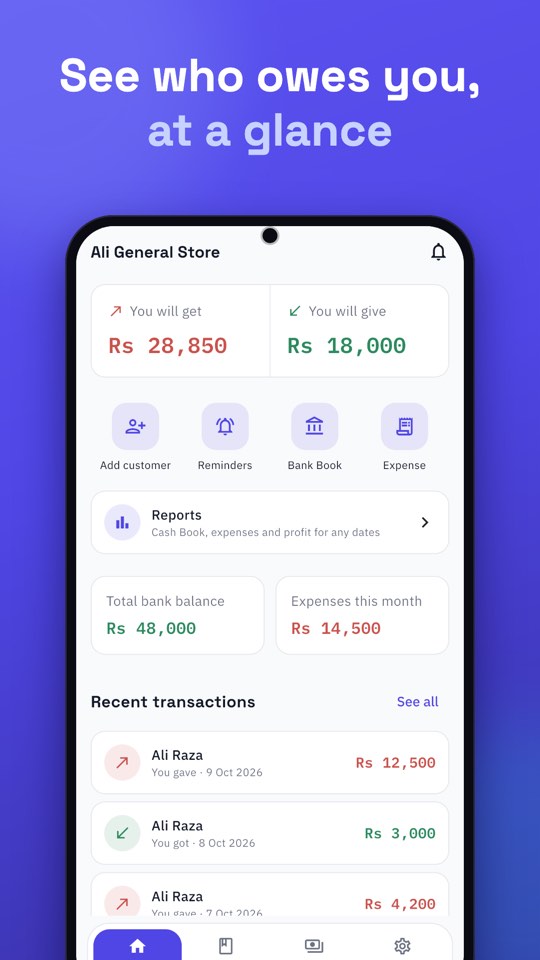
Each business keeps its own:
- customers and suppliers, with their balances
- Cash Book, bank accounts and expenses
- Recycle bin
- backups
Switching is instant, and Munshi remembers which business you used last, so it opens right where you left off.
One phone number, one sign-in, and as many separate sets of books as you need, up to five.
Smaller changes in this release
- Google Drive backup stays connected. After an update, Drive backup no longer stops with “Google couldn’t confirm your account”. It reconnects to your Google account by itself.
- Easier updates. When a new version is ready, Munshi offers it inside the app on Android, or takes you to the App Store on iPhone.
- “Business” instead of “shop”. Munshi is used by every kind of business, not just shops, so the wording now fits everyone.
- Version on the sign-in screen. If you ever write to us, it’s easy to tell us exactly which version you have.
Update now
Version 1.0.11 is available on Google Play and the App Store. The full list of changes is on the changelog.