 Munshi
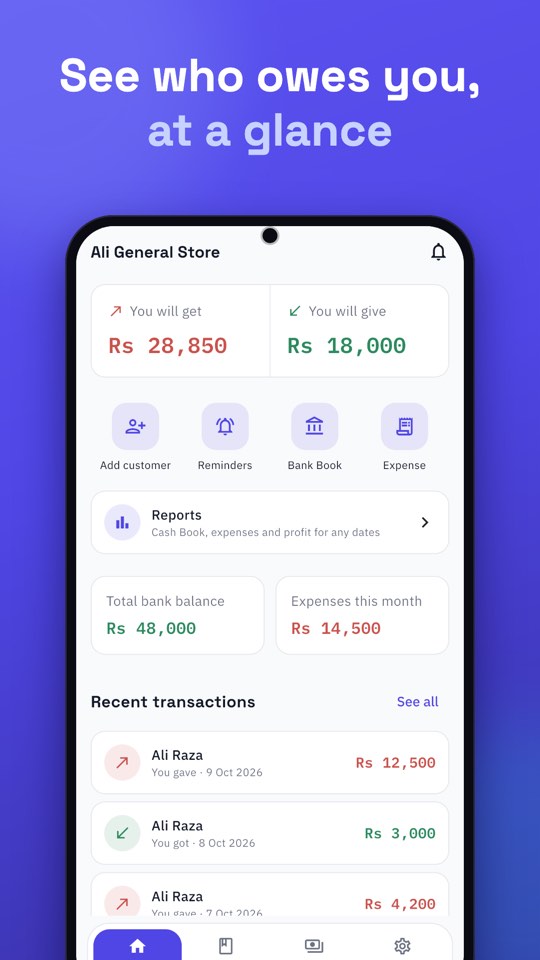
To manage two or more businesses in one app, give each business its own set of books, so customers, cash and expenses never mix. In Munshi you tap the business name at the top of Home, choose Add another business, and switch between them whenever you like. Up to five businesses fit in one account, each with its own customers, Cash Book, bank accounts, expenses and backups.
Why a separate khata for each business?
Many people in Pakistan run more than one thing at once: a kiryana shop and a wholesale trade, a clinic and a pharmacy counter, a main shop and a stall in another town. When everything goes into one khata, three things go wrong:
- Totals stop meaning anything. “How much do I owe and am I owed?” has no clean answer.
- You cannot see which business makes money. One may carry the other without you noticing.
- Customers get confused. A statement that mixes two shops’ purchases is hard to read and easy to dispute.
Separate khatas fix all three.
How to add a second business in Munshi
- On Home, tap the business name at the top. A list opens with every business you have.
- Tap Add another business and enter the business details. Only the business details are asked.
- The new business opens empty, ready for its first customer.
- Add customers and entries there. Your first business is untouched.
- To switch back, tap the name again and choose it. Munshi remembers which business you used last, so it opens right where you left off.
What stays separate
Each business has its own:
- customers and suppliers, with their balances
- Cash Book
- bank accounts and Bank Book
- expense categories and entries
- Recycle bin
- backups
Reports are also per business, so the profit you see for your shop is your shop’s profit, not a blend.
Ideas for how to split your businesses
- Two shops or branches: one business each, so you can compare them.
- Shop plus side trade: keep the side trade out of the shop’s numbers.
- Retail and wholesale: they have different customers, margins and credit habits.
- Business and household: keep personal spending out of your business profit. For spending, see how to track business expenses in Pakistan.
Multiple shop accounts, one app: a worked example
Imagine Bilal runs a kiryana shop and, on the side, supplies tea and snacks to two offices. In one khata, the offices’ monthly bills and the shop’s daily credit get tangled. With two businesses in Munshi, “Bilal General Store” holds the neighbourhood customers and its Cash Book, while “Bilal Supplies” holds the two offices with their monthly statements. He sees the profit of each, sends clean statements to the offices, and never has to wonder which cash belongs to which.
That is what multiple shop accounts in one app are for: the same person, separate books.
Tips for running more than one business
- Name them clearly. “Bilal General Store” and “Bilal Supplies” are easier to tell apart than “Shop 1” and “Shop 2”.
- Check which business is open before you record. The name at the top of Home always tells you.
- Back up each one. Connect Google Drive and back up after busy weeks.
- Review each business weekly. Open Reports for each and compare.
One account, one sign-in
You do not need a second phone number or a second login. All your businesses live under the account you already use, and you sign in the same way. If you want to know more about what else changed in this release, read what is new in Munshi 1.0.11.
Backups for every business
Each business has its own backups, so connect Google Drive and back up regularly. The steps are in how to back up business records on Google Drive.